AR Furniture

Description
The AR Furniture asset pack is a comprehensive and user-friendly solution for developers aiming to create an engaging AR Furniture app for Android and iOS platforms. Designed to simplify the development process, it provides all the essential features for building a basic AR Furniture app while also incorporating advanced functionalities to enhance user experience and interaction.
Key Features and Functionalities
Spawn Furniture:
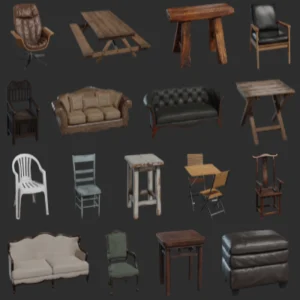
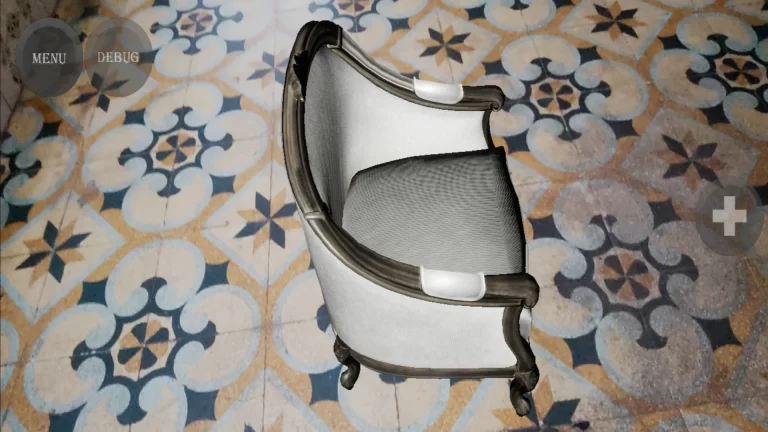
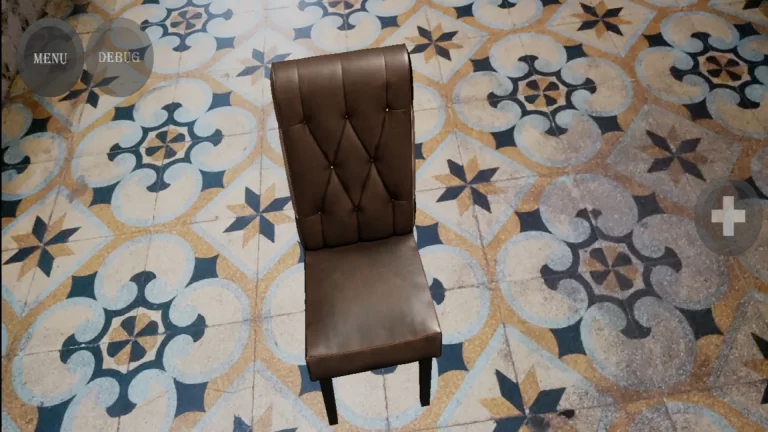
Effortlessly spawn various furniture models into the AR environment, allowing users to visualize furniture in the real world.Delete Spawned Furniture:
Remove unwanted furniture from the scene with ease, providing a smooth and intuitive user experience.Show or Hide Debug Geometry:
Enable or disable debug geometry to streamline development or enhance the presentation in the app.Take Real-World Photos:
Capture a photo of the AR scene, including the spawned furniture, directly from the app. This feature is perfect for sharing and documentation purposes.Interactive Touch Controls:
- Rotate and Move Furniture: Use touch gestures to rotate or reposition furniture items within the AR environment.
- Scale Furniture: Adjust the size of furniture models seamlessly using pinch gestures for accurate scaling.
Interactive UI:
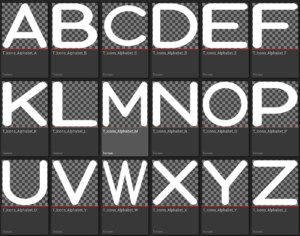
The asset includes a ready-to-use UI, making it easy to navigate and control the app’s features. Developers can replace UI images and static meshes to quickly customize their own AR Furniture app.
Blueprint-Driven Development
The asset pack is entirely Blueprint-based, making it an ideal choice for developers of all skill levels. It comes with six well-designed blueprints that simplify the development process and eliminate the need for extensive coding knowledge. The comprehensive documentation ensures a smooth learning curve, guiding users through every step of creating an AR Furniture app.
Platform Compatibility
- Mobile Support:
- Fully compatible with Android and iOS platforms, enabling developers to reach a broad audience.
- Cross-Platform Development:
- Build and test your AR Furniture app on Windows, Mac, or Linux, providing flexibility and convenience during development.
Ease of Use
AR Furniture is designed to be as accessible as possible. Developers can quickly customize the asset by swapping out images for the UI and static meshes, making it easy to adapt the app to specific project requirements. With this asset, creating a personalized AR Furniture app becomes a streamlined and efficient process.
Why Choose AR Furniture?
The AR Furniture asset pack combines simplicity and power, offering developers a one-stop solution for building feature-rich AR Furniture applications. Whether you’re a seasoned developer or just starting, this asset equips you with the necessary tools to deliver a professional, interactive AR experience.
- Essential and Advanced Features: Includes all the basic functionalities required for an AR Furniture app and advanced options to stand out.
- Interactive and Intuitive Controls: User-friendly touch gestures for seamless interaction with AR furniture models.
- Customizable and Flexible: Easily adapt the asset to meet unique project needs with minimal effort.
- Robust Documentation and Support: Comprehensive resources ensure smooth development, with an active Discord community for additional assistance.
Perfect Use Cases
- Interior Design Apps: Allow users to visualize furniture placement in real-world spaces.
- E-commerce Integration: Enhance online shopping experiences with AR furniture visualization.
- AR Learning Tools: Use the asset for educational purposes to teach AR development techniques.
- Prototyping and Experimentation: Quickly build AR Furniture prototypes to test and refine ideas.
Get Started Today!
The AR Furniture asset pack is an all-in-one solution for developers looking to create innovative and visually appealing AR Furniture apps. With its extensive features, ease of use, and broad platform support, it’s the ideal choice for bringing AR furniture experiences to life.
Start creating your AR Furniture app today and unlock endless possibilities in the world of augmented reality!
Technical Details
Features:
It’s easy to use and develop.
Well written Documentation
100% Blueprints
Number of Blueprints: 6
Input: Included
Supported Development Platforms:
For Development: Windows, Mac, Linux
For Running: Android, IOS
ALL ASSETS FROM OCEAN INTERACTION: Link
Tags
ocean interaction, unofficial documentation, unreal engine, c++, AR furniture app, AR furniture asset pack, augmented reality furniture, AR app development, Android AR furniture app, iOS AR furniture app, AR furniture spawning, delete AR furniture, debug geometry toggle, AR photo capture, furniture rotation, furniture movement, furniture scaling, interactive AR UI, Blueprint-based AR assets, AR furniture blueprints, Unreal Engine AR tools, Android AR development, iOS AR development, cross-platform AR support, AR furniture customization, AR app tutorial, AR asset documentation, easy-to-use AR assets, Windows AR tools, Mac AR tools, Linux AR development, AR furniture interaction.