CorePlus – Custom Components
🔧 Overview
Welcome to the CorePlus Custom Components hub!
This page serves as a central index for all the powerful, ready-to-use components available in the CorePlus plugin for Unreal Engine.
Use this guide to quickly explore each category and find links to detailed documentation or feature pages.
🧩 Components
CorePlusTextRenderer
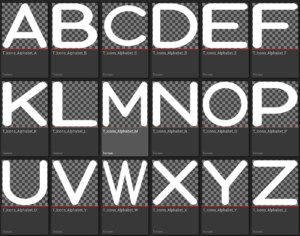
An enhanced version of the standard Text Component. It offers additional functionality such as custom colors, bloom effects, rotate-to-player, scale-to-player, and more to help create immersive UI and signage in your scene.
🎨 Materials
Master Materials
A flexible and advanced material setup designed to be used as the foundation for your own material instances. Streamline your look-dev process with reusable, customizable shaders.
🧠 Function Libraries
📘 Micro Libraries
A lightweight collection of reusable micros to support modular development and reduce redundancy.
📚 Function Libraries
A set of handy utility functions that extend Unreal Engine’s built-in capabilities, helping you speed up development and keep logic clean.
🖥️ UI Components
🧱 Base
Core foundational UI elements are designed for rapid prototyping and development.
🕹️ Buttons
A set of advanced, interactive button components with hover states, sounds, and visual effects ready to plug and play.
🛠️ Custom Components
A collection of specialized UI elements tailored for specific functionality or design aesthetics.
🖼️ Images
Flexible image components with enhanced display options, perfect for HUDs and dynamic interfaces.
✅ Final Notes
CorePlus is built to enhance your Unreal Engine workflow—whether you’re designing advanced UI systems or creating modular visual setups. Use the links above to dive deeper into each component and make the most of what CorePlus has to offer.
Let us know how you’re using CorePlus in your projects, and stay tuned for more updates!
💬 Got questions?
Leave a comment below or reach out — I’d love to hear how you’re using CorePlus in your projects!
If you found this post helpful, feel free to share it, and stay tuned for more Unreal Engine tips and tutorials!
📎 Related Links
Tags
Unreal Engine, CorePlus Plugin, UE5, Unreal Engine Plugins, Game Development, Custom Components, UI Components, Master Materials, Text Renderer, Unreal Engine Tips, Plugin Setup, Plugin Content, Game UI, UE5 Tools, Engine Content, Project Plugins, Unreal Development, Blueprint Tools, Developer Workflow, UE5 Tutorial